
Too many marketing agencies struggle to keep client work running smoothly, mainly because their processes depend on a mix of tools that don’t talk to each other. Research shows that one of the biggest roadblocks is dealing with disconnected tools and inconsistent data standards, problems that make it harder to integrate information and build a smart strategy.
On the other hand, agencies using the right software stack can simplify collaboration and create a far more predictable workflow. In this post, we’ll discuss some of the best tools for marketing agencies. Let’s take a look!
Top 5 tools for marketing agencies
To narrow down the best marketing agency software list, we reviewed a range of platforms through the lens of what matters most to busy client-service teams. That meant looking at ease of use, client experience, automation potential, data security, and how well each tool solves a specific agency pain point. In other words, we avoided all-in-one enterprise suites and instead focused on software solutions that fit naturally into an agency’s workflow.
The five options below represent the strongest picks across different “best for” categories.
1. Content Snare: Best for client onboarding and content collection

Content Snare was built out of a frustration most agencies know all too well – trying to get clients to send the information you need, on time, and in the right format. The team originally ran a digital agency and kept hearing the same thing from peers: client content was always the bottleneck.
Content Snare was created to fix that problem once and for all.
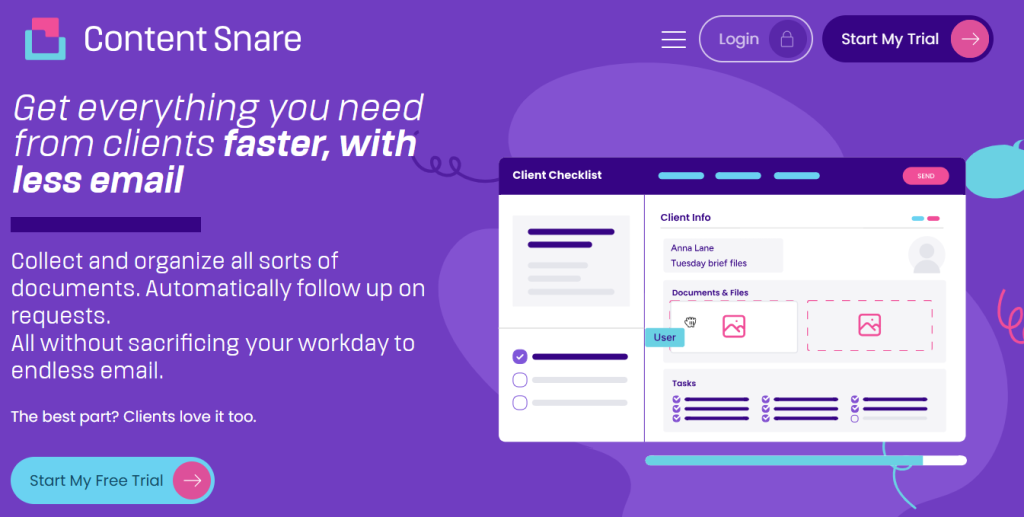
Today, Content Snare is one of the easiest ways for marketing agencies to collect onboarding details, brand assets, questionnaire responses, digital content, and any other documents you typically need from clients. With Content Snare, you can:
- Use a library of easily accessible and editable form templates
- Build fully branded requests
- Provide clients with a clear progress bar so they know what’s left to complete
- Let automated reminders do the nudging for you
- Exchange files and context with clients in a dedicated portal
A recent survey shows that Content Snare users spend 71% less time gathering information from clients, and many customers explain how this platform helped them improve client relationships and become more efficient. Take this testimonial from Ranksey, a Utah-based digital agency, as an example:
Before Content Snare, I was just going back and forth with clients. Content Snare saves me 4 to 5 hours per client, which equates to 40 or 50 hours per month, at least.
If you’re ready to take the stress out of client onboarding and content collection, give Content Snare a try and see the difference firsthand. Sign up for your 14-day free trial right now.
2. Planable: Best for collaborative social media approvals
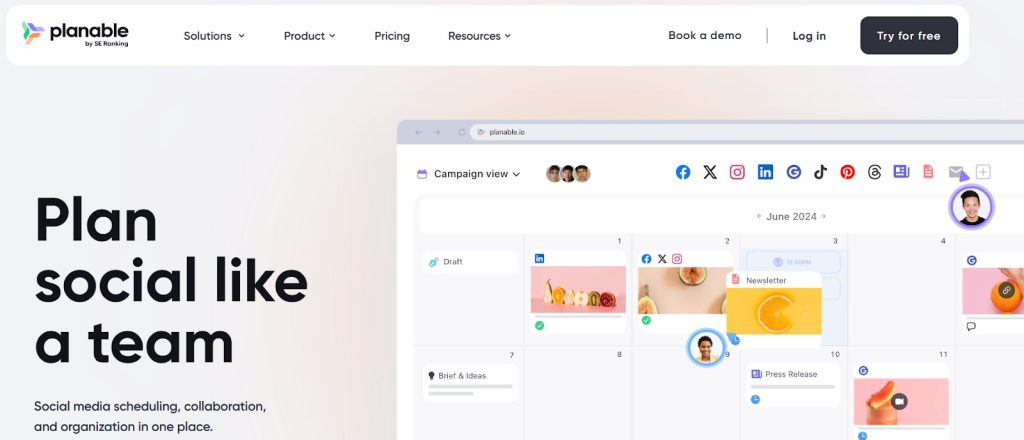
Planable gives you a more visual way to create and review social content without hopping between tools. This marketing software brings everything into one place, including content creation, scheduling, collaboration, and client approvals. That way, your team and clients can work through posts with far less friction. Key Planable features most agencies appreciate:
- AI-assisted content creation that formats posts perfectly for each platform
- Visual content planning that makes campaign layouts easy to follow
- Real-time feedback tools that keep conversations focused and organized
- Step-by-step approvals that guide clients through the process
The purpose of Planable is to keep the entire social workflow streamlined, so you can stay consistent and keep clients in sync without back-and-forth. That said, Planable is purpose-built for social media, so agencies managing multiple non-social channels may need complementary tools alongside it.
3. GoVisually: Best for creative and design proofing
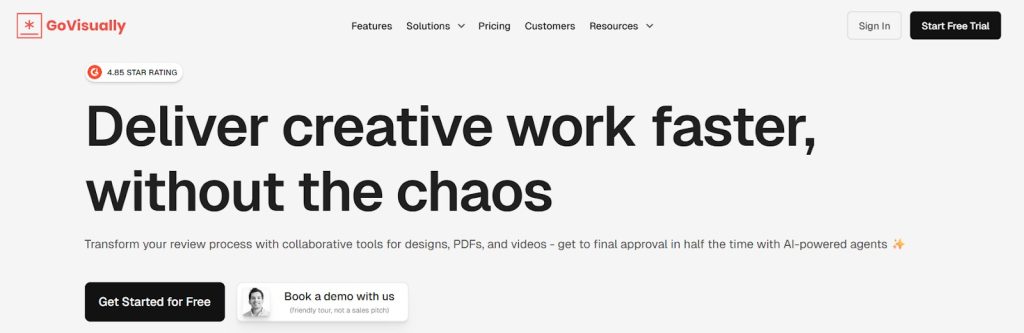
Creative reviews are chaotic by definition, but GoVisually takes a lot of that chaos off your plate by giving everyone a single place to review and comment on designs. There’s no endless clarification as your team and clients can react directly to the work in front of them. This is what makes GoVisually helpful for agencies:
- Real-time comments on creative files backed with in-context feedback
- Simple point-and-click annotations, allowing clients to mark up exactly what they mean
- One-click approvals
- @Mentions to loop people in and bring the right teammates or stakeholders into the conversation
Overall, GoVisually is useful for agencies managing multiple design-heavy accounts because it keeps revisions tidy and tracks status in real time. Since it focuses specifically on creative proofing, the platform works best as a complement to your existing project management setup.
4. Clientjoy: Best for lightweight CRM and proposal management

Managing leads can get messy fast if you keep your notes in one place, emails in another, and proposals somewhere else. Clientjoy cleans that with a straightforward workspace for the early stages of client relationships. You can use it to send proposals without overthinking the tech and track what’s happening with each prospect in real time. A few helpful features for day-to-day agency work include:
- Sales pipeline and activity tracking
- Creating and sending proposals quickly, then tracking when they’re opened or accepted
- Integrated inbox to keep client emails connected to your pipeline
- Meeting scheduler and calendar sync
Clientjoy keeps the sales side of your agency organized without adding unnecessary complexity, which is a big benefit if you want to close deals faster. Its strength lies in keeping sales workflows lightweight, even if more advanced automation lives outside the platform.
5. DashThis: Best for automated marketing reporting dashboards

DashThis may feel like a real relief if reporting week always sneaks up on you. You just need to connect your data sources once (think Google Ads, Meta, LinkedIn, GA4, and similar) and DashThis keeps the numbers flowing. The dashboard updates itself, so you’re not wasting time exporting spreadsheets or stitching screenshots together. Here’s what makes DashThis a good fit for marketing agencies:
- Preset and custom widgets, so you can build a unified KPI dashboard
- AI Insights that give you a quick read on what’s working and what’s slipping
- Over 30 popular marketing platforms plug right in, so all your data shows up automatically
- Smooth reporting workflow with one-link sharing or scheduled automated reports
The idea behind DashThis is to cut down the repetitive work. That way, it helps you spend more time telling the story behind the numbers instead of trying to wrangle them into shape.
Take your pick and improve your agency’s processes
There are many tools that can help solidify your agency’s business, but it all comes down to realizing what your team needs most and making improvements one step at a time. There’s no pressure to overhaul everything at once. On the contrary, small but well-planned optimizations can have a major impact down the road. That’s why you should start with the changes that move the needle most, and let your toolstack evolve with your agency.
Collect marketing content with Content Snare
Stop using messy email threads and shared docs.
Content Snare creates personalized requests that make it easy to collect client information.
FAQ
What types of tools do marketing agencies usually rely on?
Most agencies use a mix of project management platforms, reporting tools, content collaboration apps, and communication software. The right combination depends on your services, team size, number of clients, or how much of your workflow you want to automate or standardize.
How important is data security when working with agency tools?
Data security is very important, particularly when you’re handling sensitive client documents or strategic information. That’s why it’s recommended to find a platform with strong encryption and reputable certifications. For example, Content Snare is ISO 27001 certified, which means it follows internationally recognized standards for managing information securely.
Deixe um comentário