

Document collection software makes it dramatically easier to gather files from clients without the usual inbox chaos. Research from McKinsey shows that professionals spend up to 20% of their workweek just searching for information or waiting on responses, which slows projects and delays client onboarding.
The best document collection software is designed to fix that specific problem. These tools streamline requests, automate reminders, track progress, maintain compliance, and give your clients a simpler way to send what you need. In this post, we’ll break down the finest document collection tools and how they compare.
Short on time? Sign up for Content Snare
Stop getting lost in emails, attachments and client portals. Content Snare is modern document collection software that clients actually love to use.
Why document collection software matters (and what problems it solves)

Many teams spend too much time nudging clients for missing documents, which is one of the biggest productivity drains in client-facing work. The best document collection software solutions take that hassle off your plate as they give you a more predictable way to gather files. It helps eliminate the usual suspects that slow projects to a crawl:
- Chasing clients manually
- Incomplete or incorrect submissions
- Data security and compliance concerns
- Project delays
- Burnout for client-facing teams
Security is also a major reason these tools matter. According to the Verizon Data Breach Investigations Report, email remains one of the most common entry points for breaches (27%), making traditional attachment-based workflows a risky way to trade sensitive documents.
Related: How secure is email? Hint: not secure enough
Pro tip: Pick your tool using the DOCS framework
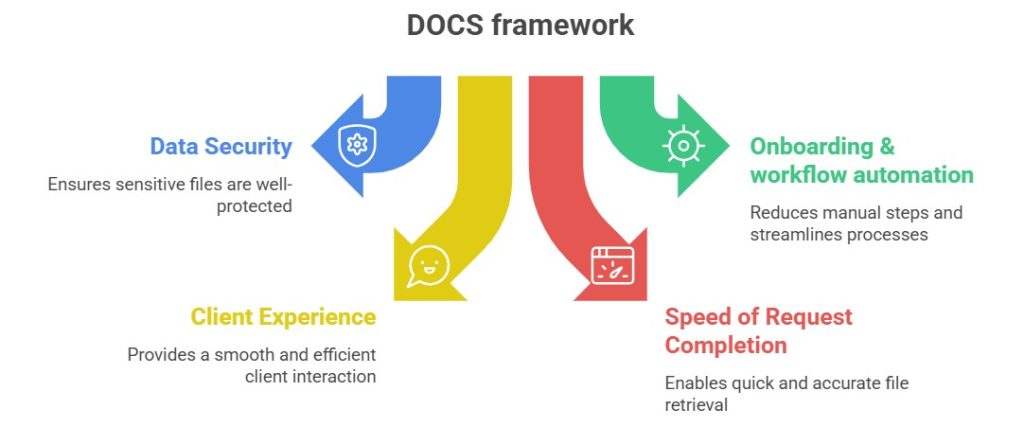
The DOCS framework is a simple way to gauge whether a platform can truly streamline your document gathering. Our framework relies on these inputs:
- Data security: How well does it protect sensitive files?
- Onboarding and workflow automation: Does it reduce manual steps or just add another layer to manage?
- Client experience: Will clients breeze through requests or get stuck along the way?
- Speed of request completion: How quickly can teams get complete, accurate files without hand-holding?
We encourage you to keep these four pillars in mind because they’ll make it easier to pick a tool that fits your workflow and won’t leave your team stuck putting out fires.
Top 5 document collection software solutions
Before jumping into the list, here’s how we evaluated these tools: we considered factors like ease of use, industry fit for client-facing teams, integration options, and verified customer feedback from reputable sources such as G2 and Capterra.
In addition, we took into consideration niche tools to compare options that realistically match the daily workflows of agencies, accountants, bookkeepers, lawyers, financial professionals, and other client-facing businesses. Of course, we also relied heavily on our very own DOCS framework.
Having said that, here are our top five document collection software suggestions.
1. Content Snare: Best for secure and automated document collection
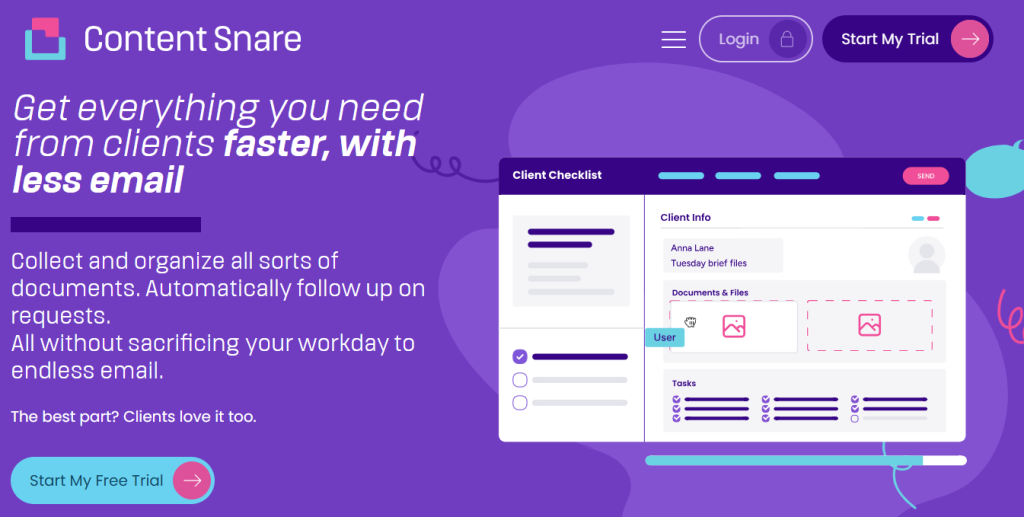
Content Snare helps firms collect documents without chasing or confusion. It’s built for professionals who rely on timely file submissions, such as accountants, bookkeepers, agencies, finance teams, and legal firms. The platform removes all the friction that usually slows those workflows down: a survey shows that, on average, Content Snare users spend 71% less time gathering information from clients.
With ISO 27001 certification and a simple client experience, this document collection software gives both sides a secure path from request to completion. Key Content Snare features include:
- Simple access: Just share a link so clients can upload files without logging in.
- Large file uploads: Accept files up to 16GB, and quickly export all of them in one package.
- Flexible file types: Support for dozens of formats, backed by instructions that tell clients which file type to upload.
- Automatic nudges: Automate reminders so you don’t need to send awkward follow-ups.
- Approvals or rejections: Review documents as they arrive and request changes when something’s off. You can also chat directly inside each request to clarify requirements or answer client questions.
- Integrations: Connect to Zapier, Make, or your existing tech stack to automate collection end-to-end.
In short, Content Snare is the most secure and client-friendly software for document collection, trusted by 1,600+ businesses worldwide. If your workflow depends on getting complete and correct documents without delays, this is the tool that consistently keeps projects moving.
It also offers a free 14-day trial, so sign up and test it yourself.
2. Hightail: Best for collecting large creative files from clients
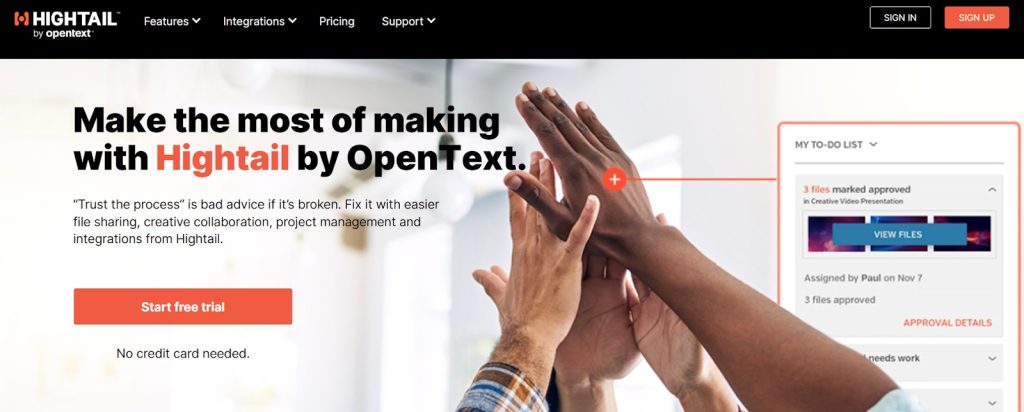
Hightail is built for creative teams that frequently receive big design assets, video files, or high-resolution images from clients. It focuses on fast file sharing rather than structured document workflows, making it a handy option for agencies and production studios that just need an easy way to gather and review large files. Here are its core strengths:
- Simple file uploads: Clients can drop in large media files without dealing with complex setup.
- Preview and comment: Review images, videos, brand assets, and PDFs with visual comments for quick feedback loops.
- Generous file size limits: Designed for oversized creative assets that are too big for email or basic storage apps.
- Shared project spaces: You can keep files for each client or project in one place.
- Version tracking: Hightail lets you compare revisions so creative teams always know which file is the latest.
While Hightail doesn’t offer advanced features like automated reminders or structured requests, it shines when you simply need a reliable way to collect and collaborate on large creative files. It’s a lightweight option that fits well into agency and design environments where media assets are the main focus.
3. MasterControl: Best for regulated industries needing strict document control

MasterControl is the best document collection software for compliance-focused teams. Think life sciences, manufacturing, biotech, and other industries where every document needs to be airtight. Instead of focusing on simple client uploads, it delivers a full-blown document control environment with audit trails, approval chains, and versioning built to satisfy regulators without breaking a sweat. You can tell that from its key features:
- End-to-end document control: MasterControl allows you to manage creation, edits, approvals, and archiving with a clear, unbroken paper trail.
- Compliance-ready workflows: Built to support FDA, ISO, and other regulatory standards right out of the box.
- Role-based permissions: Give teams access only to what they need, reducing errors and tightening oversight.
- Automated review cycles: You can also keep documents up-to-date with scheduled checks and required sign-offs.
- Detailed audit logs: It’s easy to track who touched what and when.
MasterControl isn’t the right fit for everyday client document collection because it’s far more structured and compliance-heavy, but it’s perfect for organizations that must keep regulators happy and documentation spotless.
4. SuiteDash: Best for CRM-focused teams

SuiteDash is an all-in-one platform that blends CRM, project management, billing, messaging, and client portals into a single workspace. It’s a good match for small businesses or service teams that want everything under one roof rather than combining multiple tools. While document collection isn’t its main claim to fame, its built-in portal and file-sharing features can be handy when you just need a simple way for clients to send materials:
- Unified CRM + client portal: SuiteDash enables you to keep client details, conversations, and shared files in one place instead of bouncing between apps.
- Project and task management: You can assign work and keep everyone on the same page with built-in workflows.
- File-sharing tools: Clients can upload documents or assets directly into their workspace.
- Billing and invoicing: With SuiteDash, it’s also possible to send invoices, accept payments, and manage subscriptions alongside your client projects.
In a nutshell, SuiteDash won’t replace a dedicated document collection platform, but it can be a valuable one-stop shop for teams looking for a multipurpose system with CRM, communication, projects, and file exchange functionalities.
5. Alfresco: Best for enterprise-scale content management

Many organizations deal with mountains of documents and need enterprise-grade structure to keep everything tidy. If that’s the case with your firm, Alfresco might be worth a shot. It’s not your everyday upload-and-go tool, but rather a full content management platform made for teams requiring strict governance and workflows that can handle complex internal processes without breaking a sweat. This is what makes Alfresco suitable for enterprises:
- Massive content repository: It’s able to store huge volumes of documents in a highly organized system.
- Advanced search and metadata: You can find files in seconds using metadata or full-text search.
- Process automation: The platform builds custom workflows for approvals, reviews, routing, and retention policies.
- Integration-friendly architecture: Alfresco lets you connect the system with existing enterprise tools and legacy platforms through APIs and connectors.
Overall, Alfresco is more enterprise powerhouse than quick client file upload. However, it fits the bill if your organization handles high volumes of documents and needs airtight structure behind the scenes.
Collect client documents with Content Snare
Stop getting lost in emails, attachments and client portals. Content Snare is modern document collection software that clients actually love to use.
FAQ
What features should good document collection software include?
A good document collection tool should make the file-gathering process feel smooth for both you and your clients. At a minimum, look for secure file uploads, clear checklists or forms, automatic reminders, progress tracking, and the ability to approve or request changes without digging through email threads. Extras like templates, large-file support, client messaging, and integrations with your existing software stack make the workflow even easier and save a ton of back-and-forth.
Is Content Snare suitable for accountants, agencies, and legal teams?
Yes, Content Snare is built specifically for client-facing professionals, so it works perfectly for accountants, bookkeepers, agencies, financial advisors, and legal teams. It features customizable checklists, secure client portal, templates, and workflow automations, so you can quickly collect everything from tax documents to creative assets.
How secure is online document collection?
Online document collection is extremely secure when done through a dedicated platform instead of email. The best tools use encryption, access controls, and compliance standards like ISO or SOC frameworks to keep sensitive files locked down. This is far safer than sending attachments over email.
How does Content Snare automate client reminders and reduce bottlenecks?
Content Snare sends automatic (but fully editable) reminders to clients so you don’t have to follow up manually. Each request includes built-in progress tracking, so clients always know what’s outstanding, and you can spot bottlenecks before they stall a project. These gentle nudges, combined with a simple upload experience, help clients complete requests faster and practically eliminate back-and-forth.
Deixe um comentário